SD card - disk partitions and FAT32
5.6.2018
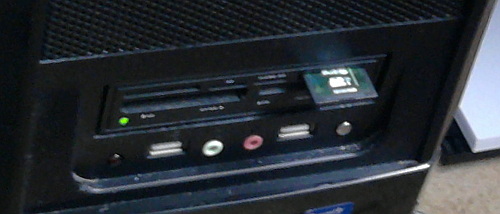
We need the FAT32 file system to be present on the SD card. To create the partitions and file system I used the console commands of the GNU/Linux OS.
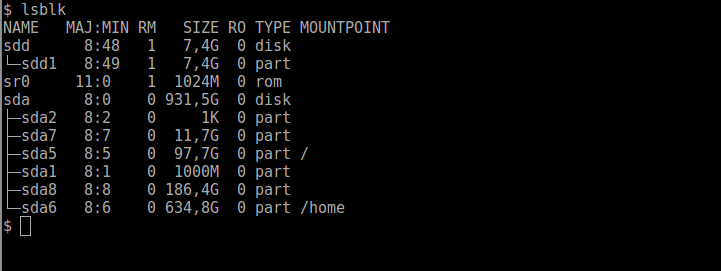
First list the block devices in the system with lsblk command. We can see that card is named as /dev/sdd device and it has a partition /dev/sdd1 that is not mounted.
Run fdisk command with /dev/sdd parameter.
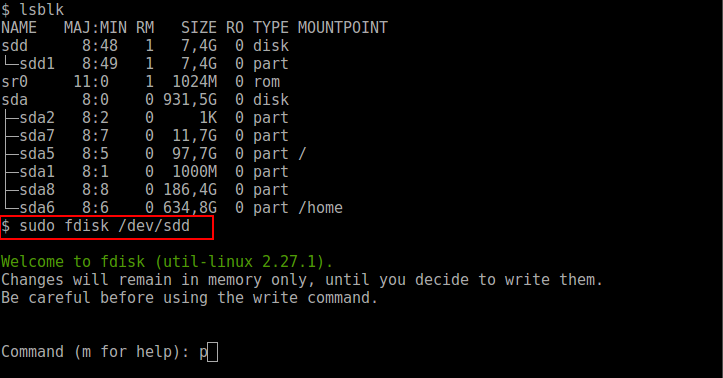
Look at the partitions on the card with p command.
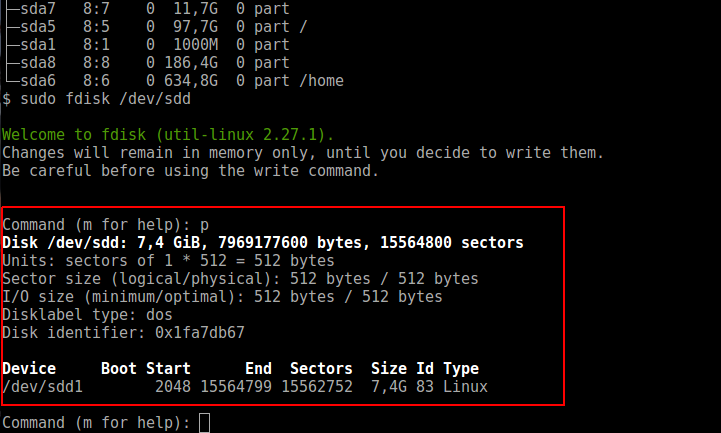
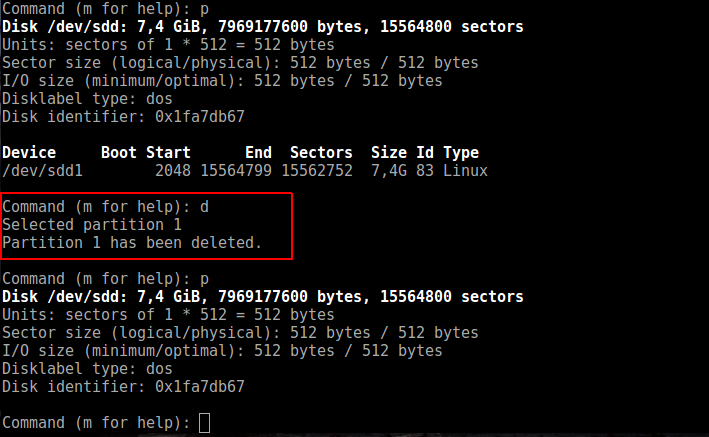
Remove the partition using d command.
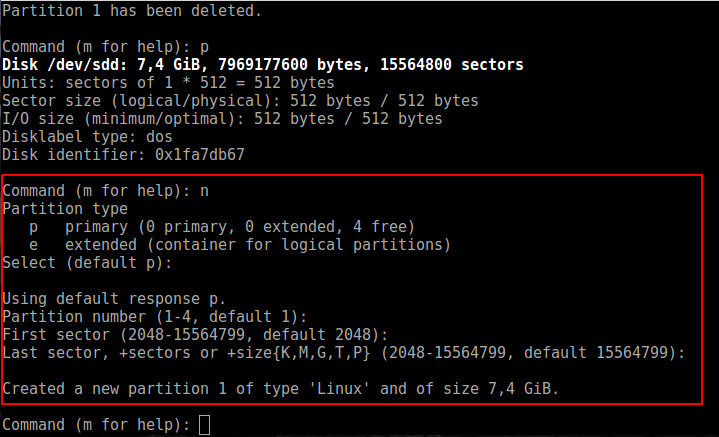
To add new partition use n command with default options.
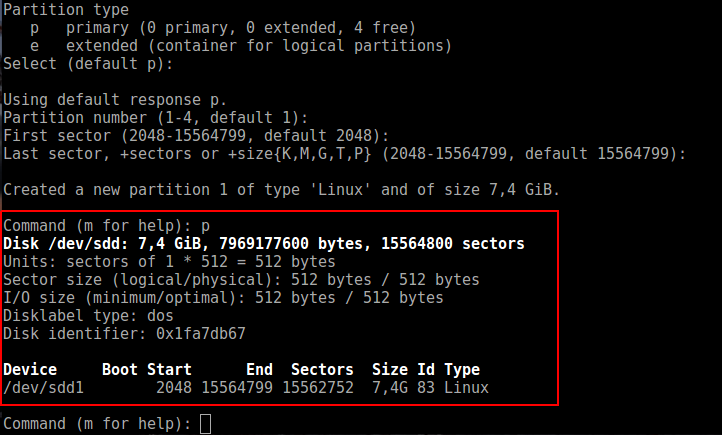
See the partitions with p again.
To write changes to disk (and quit fdisk) use w.
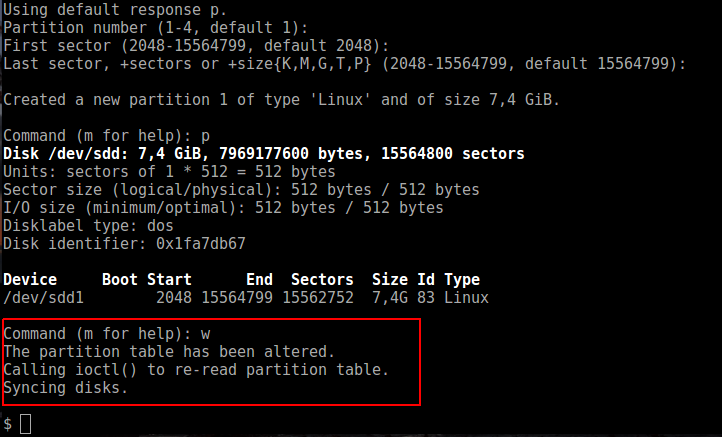
So what information we have now. The card has 155648000 sectors (blocks) each 512 bytes of size. It has one partition starting with sector number 2048 end ending in sector number 15564799.
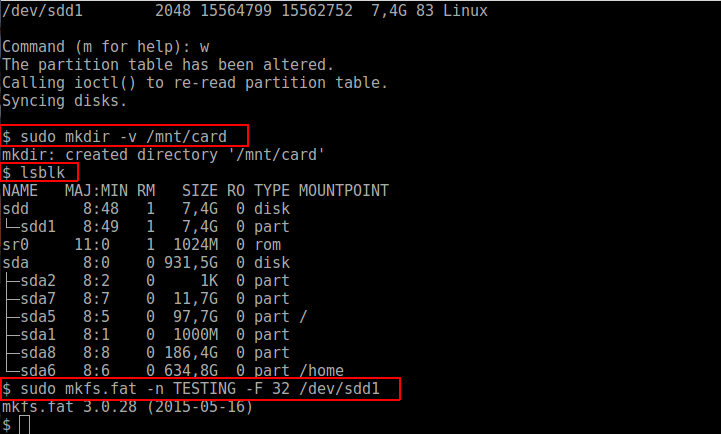
We need the mount point for the card so we will create /mnt/card directory. Now create the FAT32 filesystem with mkfs.fat command with the following parameters. Partition name (-n parameter), FAT type (-F parameter) and the partition that we want to create the file system on (/dev/sdd1).
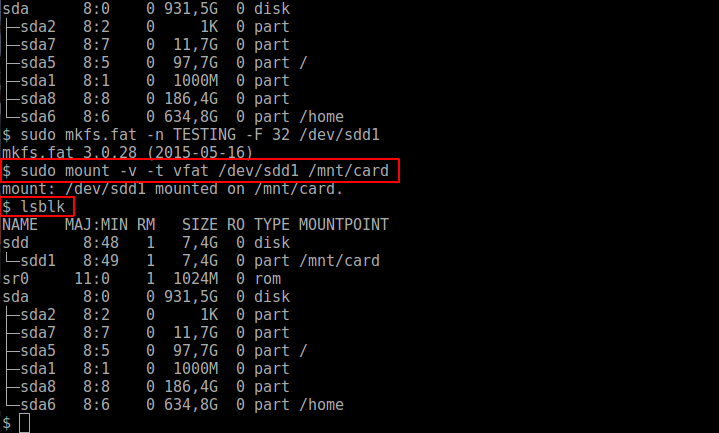
The card is ready now to be mounted to the computer's file system. The mount command demands the device name (/dev/sdd1) and the mount point (/mnt/card). The type of the file system can be explicitly declared with -t parameter. To see whether the card is accessible in the /mnt/card directory use the lsblk command.
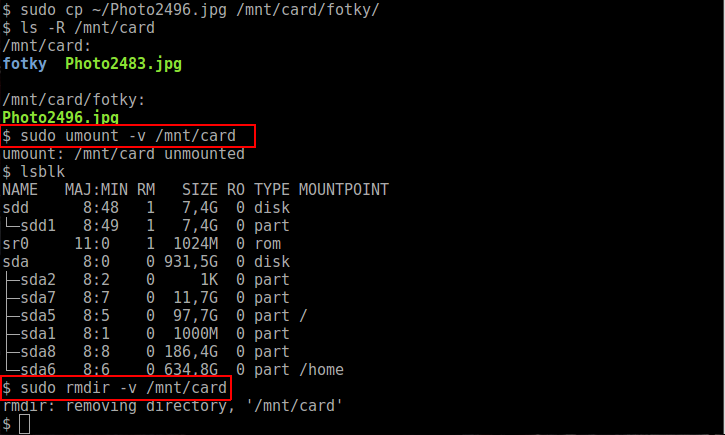
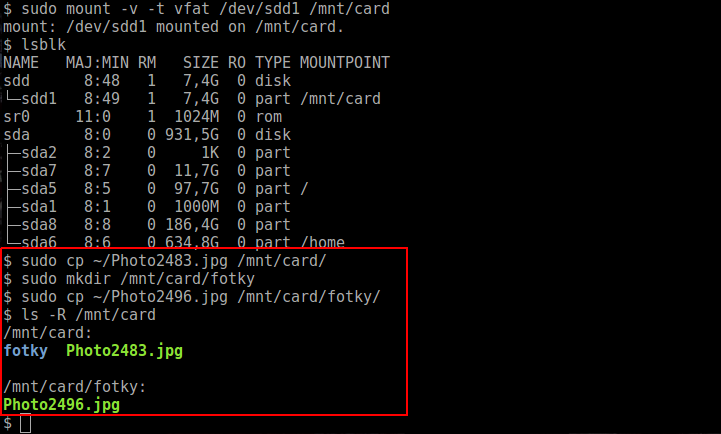
Let's copy some files to the card for testing purposes. I want the file named Photo2483.jpg and directory named "fotky" in the root directory. Another file Photo2496.jpg will be placed in the "fotky" directory. Look at the card directories and files with ls -R /mnt/card/ command.
Unmount the card with umount command. Directory /mnt/card is not needed anymore, so delete it.